 LinkTapes.com
Tape idea · Long distance
Music for long-distance relationships
When you live apart, music is one of the easiest ways to stay in each other's day. A Link Tapes tape is a playlist you build together, one song each, with a note on every pick. It doesn't need you both online at the same time, which matters when one of you is asleep while the other is having lunch.
Start a tapeWhy listening at the same time is hard
Most apps for listening together sync playback: you both hear the same second of the same song. That's lovely when it works, and it works best when you're both free at the same moment, on the same service.
Across time zones, that moment is rare. Spotify Jam needs Premium to host, and Premium to join from a distance. Apple's SharePlay needs Apple Music for everyone listening. And a synced session ends when the call does.
If you can find an evening that suits you both, a synced session, or simply a call with music on, is great. For all the other days, you need something that waits.
A tape that waits for the other person
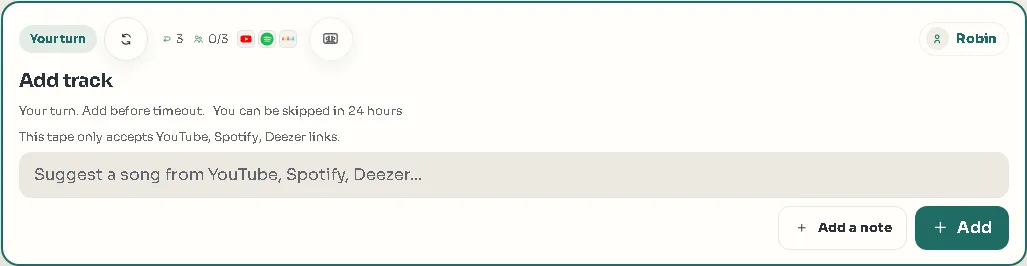
On Link Tapes you take turns. You add a song with a note (“heard this on the train and thought of you”), and then it's their turn. They add theirs when they wake up. The tape keeps both songs in order and plays them back to back, whenever either of you presses play.
Whoever starts the tape decides how long a turn may wait before it can be skipped: anywhere from one minute to four weeks, or never. For a couple in different time zones, a day or a week feels right. Nothing runs out just because someone was asleep.
After a few weeks, the tape is a record of your time apart: what you were listening to, and what you wanted the other person to hear.
How to start a long-distance tape
- Create the tapeOn the Link Tapes homepage, give it a name only the two of you will get. You don't need an account.
- Choose the paceSet how long a turn can wait. Pick a long wait, so neither of you ever feels rushed.
- Keep it between youMake it a Backstage tape: it needs an access code to join, and a seat limit of two keeps it to the two of you.
- Send the linkYour partner opens it, types a name and joins. There is nothing to install.
- Take turnsAdd a song and a note. They add theirs when it suits them, and the tape grows.
Five ideas for a long-distance tape
A theme gives you both a reason to open the tape. A few that work well:
- A song a day for a week. You each add one song every day, and the tape becomes a week in music.
- Countdown to the visit. One song per day until you see each other, ending with the one you'll play in the car from the airport.
- Songs that remind me of you. No theme beyond that; the notes do the work.
- Your morning, my evening. Add the song you actually woke up to, or fell asleep to, where you are.
- A listening date. Pick a time that works for both of you, start a video call, and press play on the tape together. Link Tapes doesn't sync the players, so count down from three.
What Link Tapes doesn't do
It's only fair to say what's missing. Link Tapes doesn't sync playback between your devices: each of you plays the tape on your own phone or computer. It doesn't support Apple Music. And Spotify and Deezer songs play as a preview unless the listener is signed in with a Premium account for that service in their browser; YouTube songs play in full for everyone.
What it does give you is a shared tape you both add to, in turns, with a note on every song and a chat beside it. It's free, it works in any modern browser, and your partner doesn't need an account.
Questions people ask
Do we both need to be online at the same time?
No. You take turns, and the tape waits for whoever's next. You can listen at the same time if you like, but you don't have to.
Does my partner need an account?
No. They open the link, type a name and join as a guest. Accounts are optional; they keep all your tapes in one place.
Can other people see our tape?
Only if you want them to. A Backstage tape needs an access code to join, and you can limit it to two seats.
What if we use different music apps?
That works. A tape can mix songs from YouTube, Spotify and Deezer, so each of you adds from the service you already use.
Is it free?
Yes. Creating a tape, joining it and listening are all free.
Start a tape for two
Add the first song tonight, and they'll find it in the morning.